Calendar Auto-Clean
Keep your calendar fast by automatically clearing out old appointments.
Over time, your calendar file grows on our server. A big file makes your calendar load slow and run slow. Lots of recurring appointments and many years of use make it bigger.
Auto-Clean removes old calendar appointments automatically to keep your calendar fast.
An account owner can ask our support department to turn on a company-wide Calendar Auto-Clean setting.
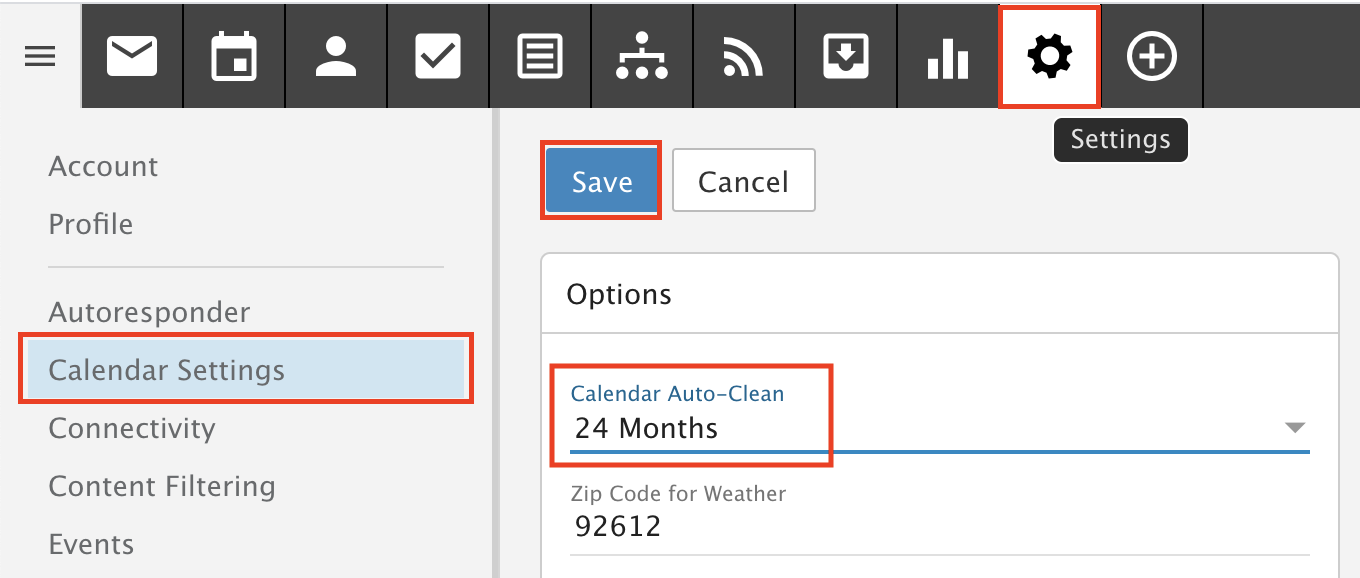
- Click Settings in the top menu.
- Select Calendar Settings in the left menu.
- Choose a time frame from the Calendar Auto-Clean drop-down.
- Click Save.