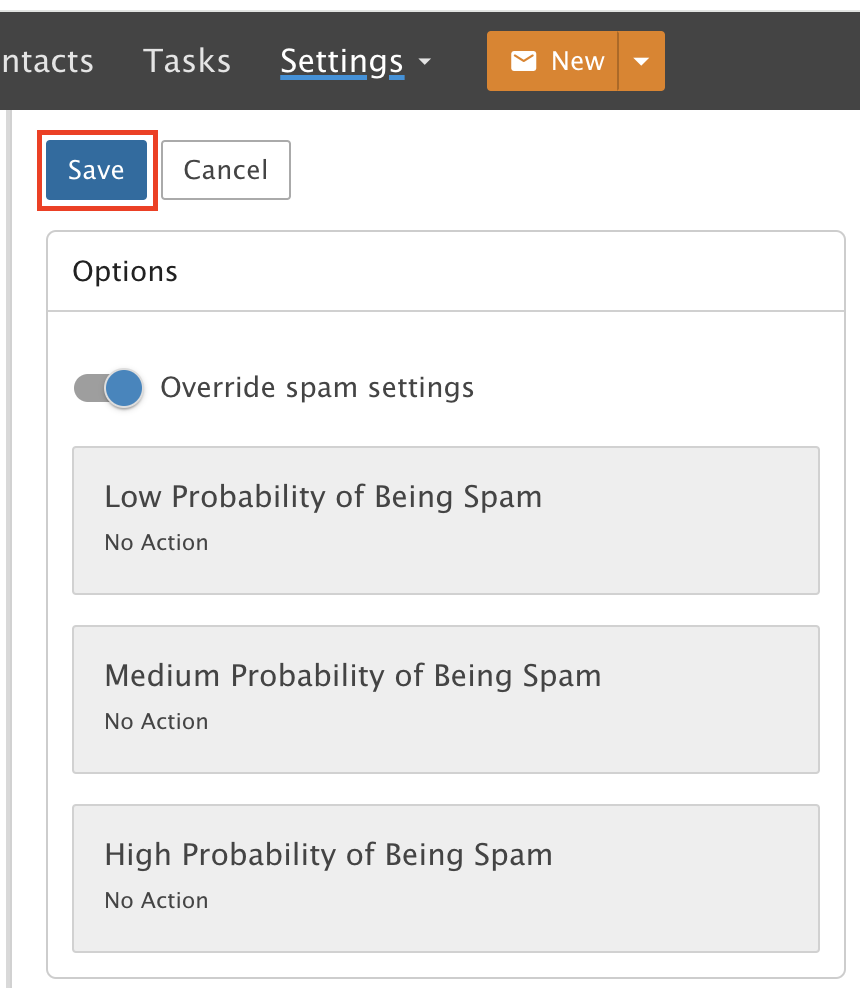
Disable Spam Filtering
Turn off spam filtering so nothing goes to Junk E-mail. You will get spam.
This guide shows you how to turn off spam filtering. The main reason to do this is to make sure no email goes into your Junk E-mail folder.
You will receive spam if you turn this off.
Step 1: Ask our support team first
Send an email to our Support Team and ask us to turn off spam filtering for your account.
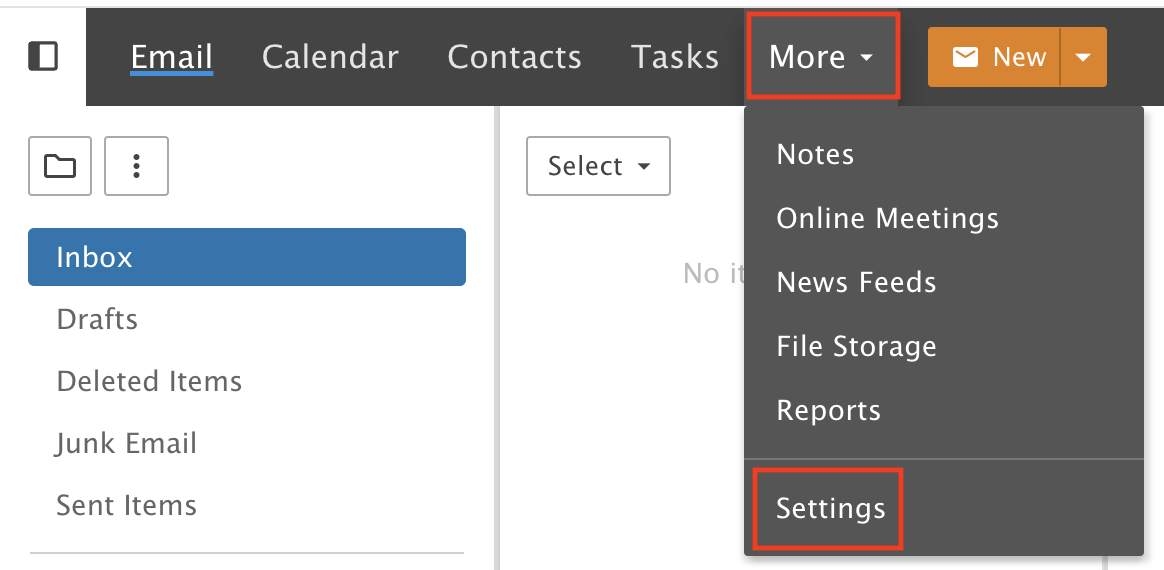
After we confirm, go into Settings from the More drop-down menu.
Step 2: Open Spam Filtering
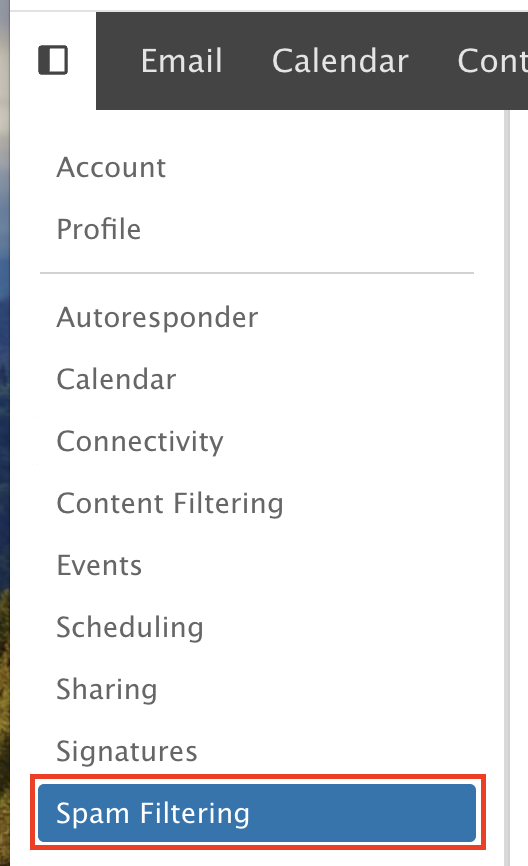
Click Spam Filtering.
Step 3: Override spam settings
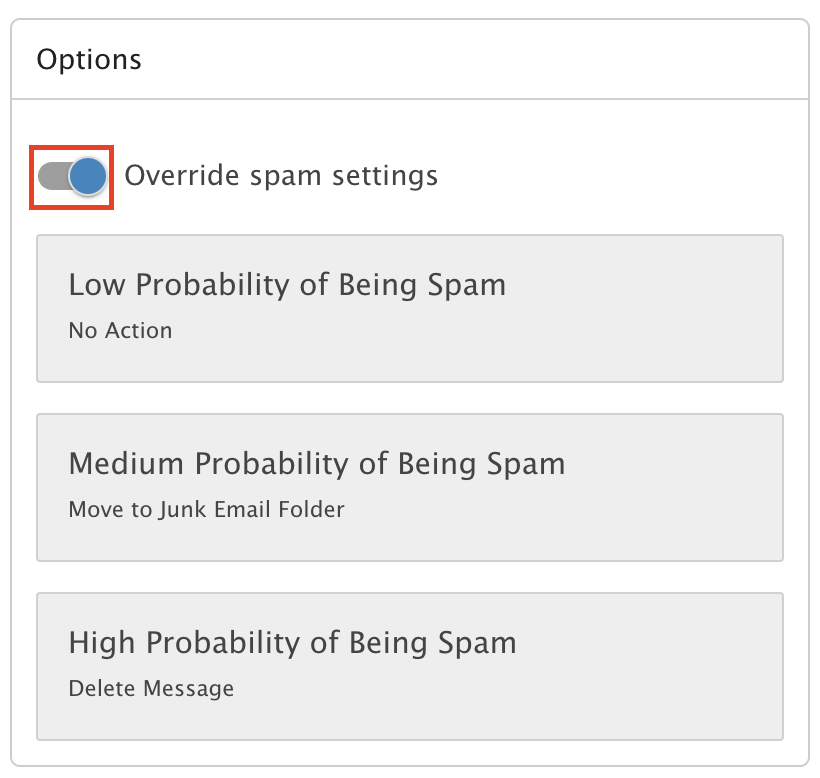
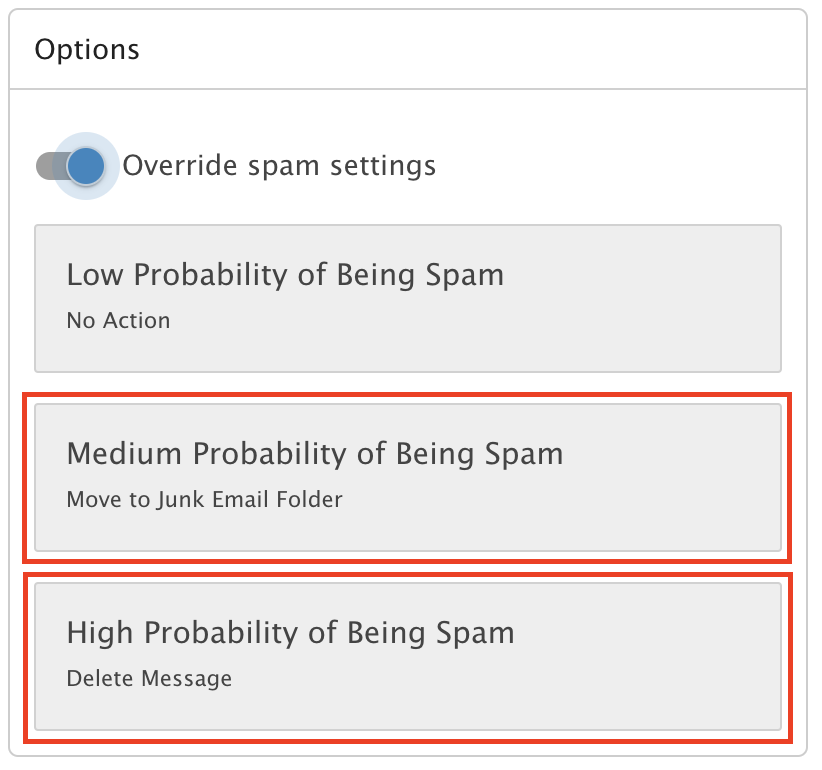
Click the toggle to turn on Override spam settings.
Step 4: Set each tile to No Action
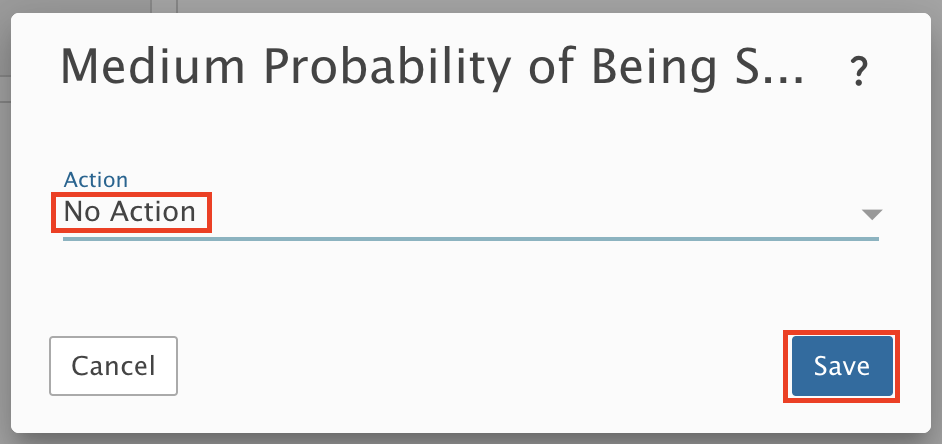
Click each tile and select No Action.
Step 5: Save
Click Save.