Website Forwarding
Forward your domain name to another website.
This feature is only available if you registered your domain name with us or use our name servers. If your domain name is registered elsewhere, please contact our support team for help.
Step 1: Open Domains
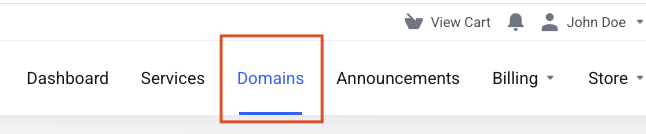
Go to Domains.
Step 2: Open Website Redirect
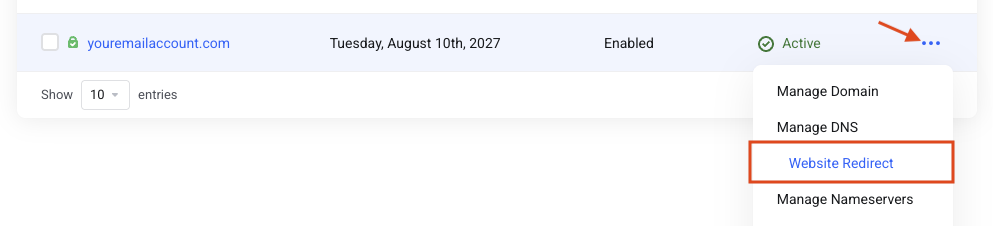
Click the 3-dot menu and select Website Redirect.
Step 3: Set the destination
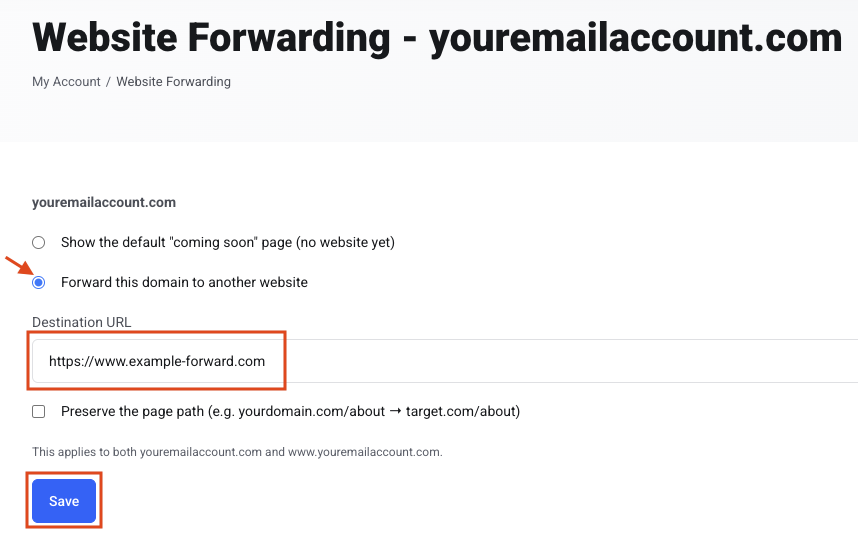
Select Forward this domain to another website.
Enter the Destination URL.
Click Save.